AfiFarm Parameters
AfiFarm is installed with a library of default parameters that allows you to begin using the system immediately. Many of these parameters can be adjusted to better suit your farm.
To access and adjust AfiFarm parameters
-
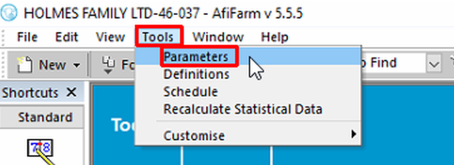
In the Menu bar, click Tools, then click Parameters.
-
In the dialog box, click the folder in the left pane to open the associated parameters in the right pane. Adjust as required.

Note: Please consult with Afimilk support before making any changes.