Range Menu
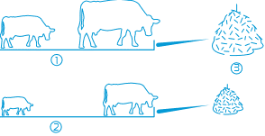 Use the Range Feed Type Menu to feed the cows (1, 2) according to one of the following predefined characteristics:
-
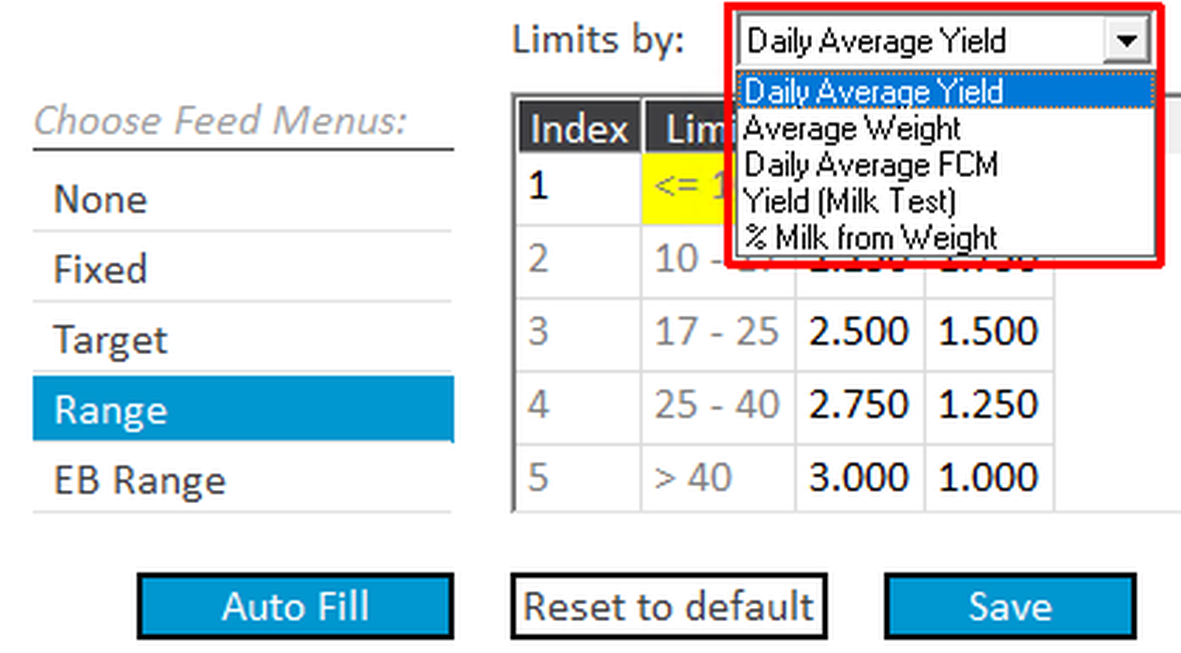
Daily Average Yield – set food range allowance according to cow's daily milk production.
-
Average Weight – set food range allowance according to cow weight.
-
Daily Average FCM – set food range allowance according to FCM (Fat Corrected Milk) –
a formula-based calculation of fat value per amount of milk. -
Yield (Milk Test) – for systems without milk meters, this menu enables using monthly milk test yield to calculate the Daily Allowance.
-
% Milk from Weight – set food range allowance according to cow performance; this is determined according to the percentage of amount of milk produced relative to the cow’s body weight.
For example: Set the allowance according to each cow's Daily Average Yield.
To assign a Range menu:
-
In the Limits by pull-down menu, select Daily Average Yield.
-
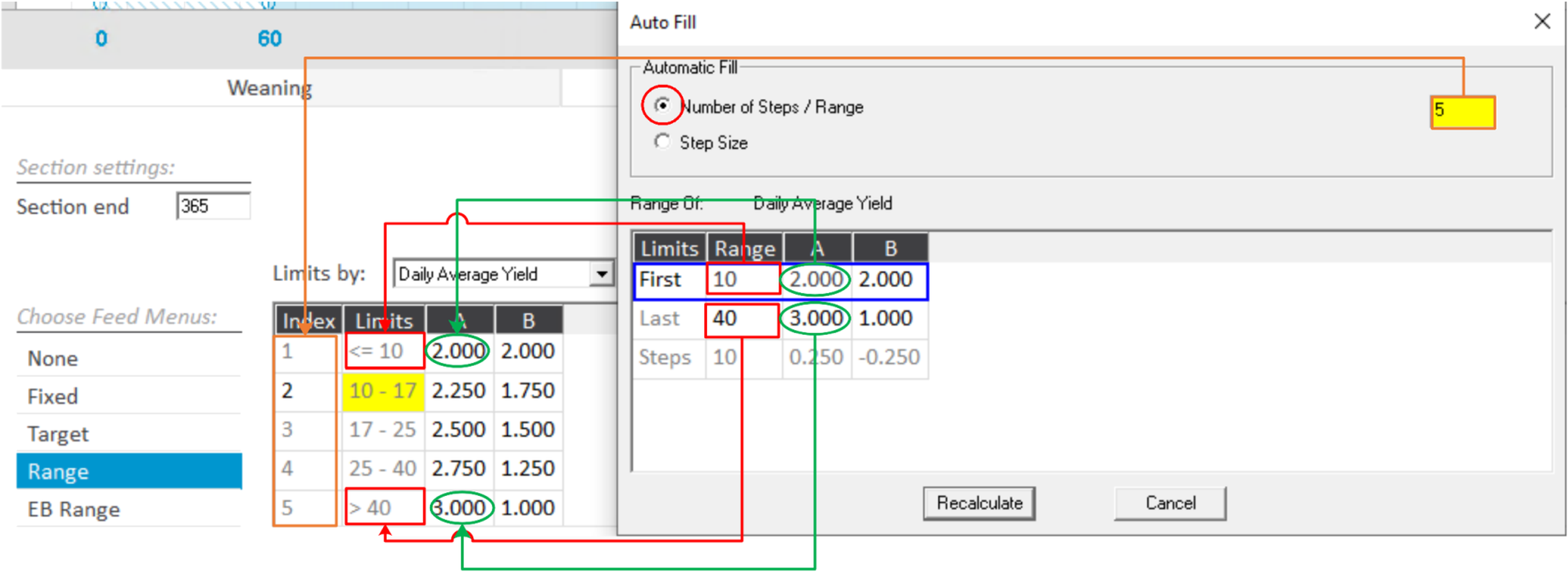
Click Auto Fill to calculate the feed range according to the limit-type selected (see below), then click Save.
-
Option 1 – Select Number of Steps/Range: Set the number of steps, and the range from the first to the last step, then set the starting and ending range for feed type (this may be an increase or decrease in feed type). Click Recalculate.
The system automatically calculates the increase/decrease amount for each step.
-
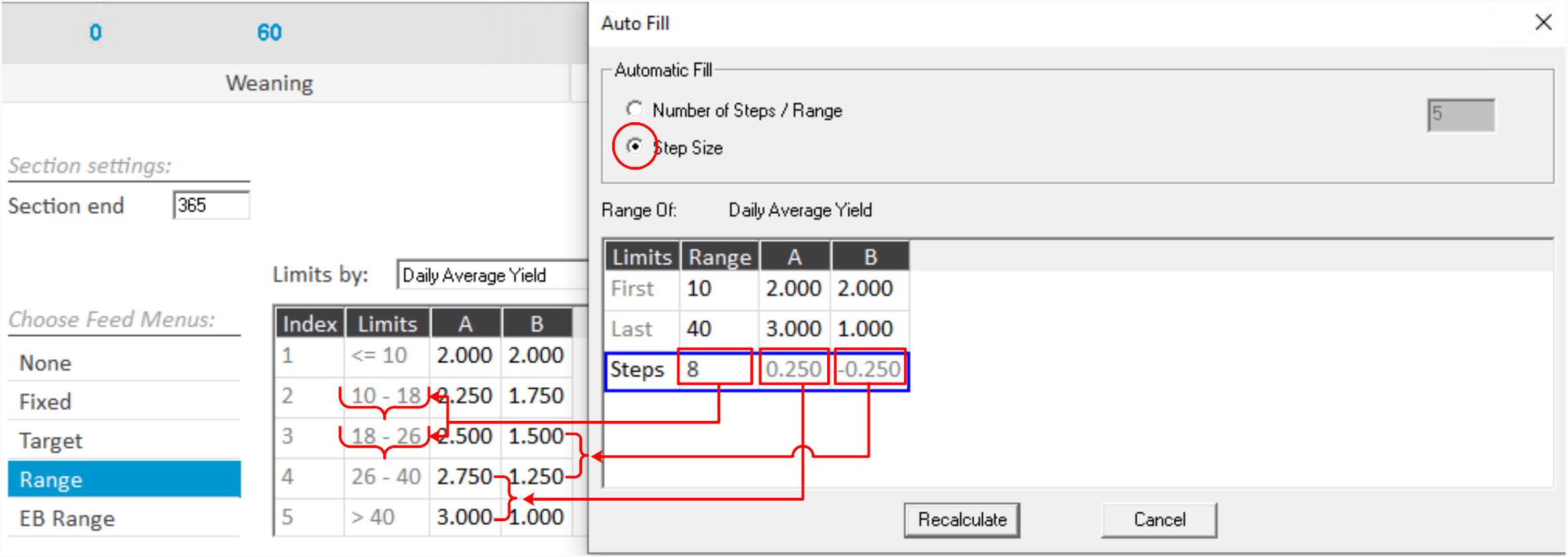
Option 2 – Select Step Size: Set the step range to be wider (higher Range number) or narrower (lower Range number). Click Recalculate.
The system automatically calculates the number of steps required to meet the minimum and maximum range values, the size of each step, and the increase/decrease amount of Feed type for each step (based on starting and ending requirements).
-